
Start from a real workflow
Use a starter for process improvement, onboarding or a monthly review.
WORK TOGETHER. SEE WHAT CHANGES.
Bring owners, deadlines and progress into one shared workspace. Then connect completed actions to measured time and cost savings.
Start with your email. No card required for 30 days. Subscribe only if you choose to continue.
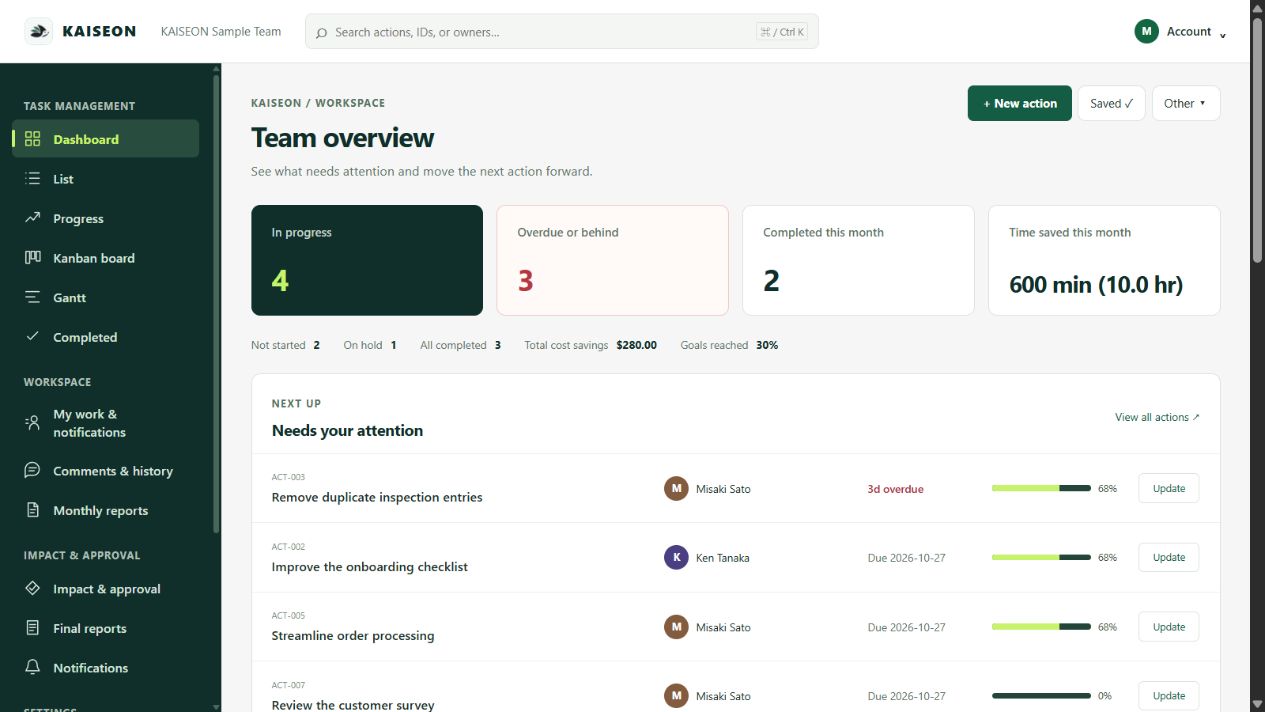
NO SIGNUP. NO CARD.
No account or card. Set an owner, record progress, enter a measured result and review the monthly estimate.
This demo is a sample held in page memory. Start a separate 30-day team trial with your email, without a card.
FROM NEXT ACTION TO MONTHLY REVIEW
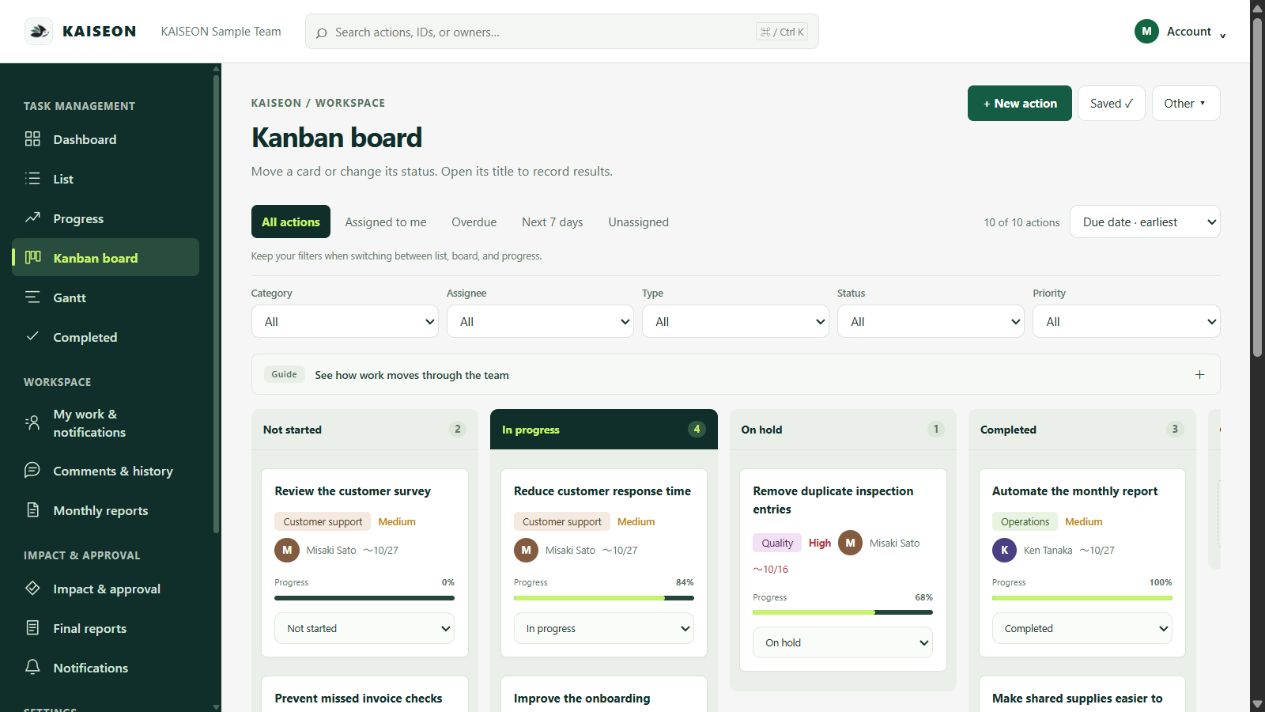
Group tasks by project. Assign a lead and collaborators, set deadlines, and filter by the person or project you need. Switch between list, Kanban and Gantt views.
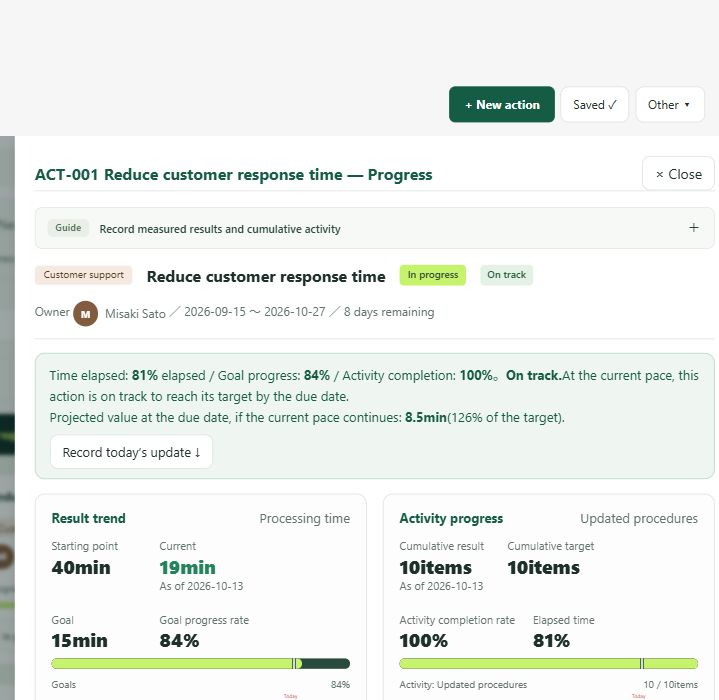
Record a baseline, target and progress updates. A completed task is not proof of savings: add measured results and evidence when they become available.
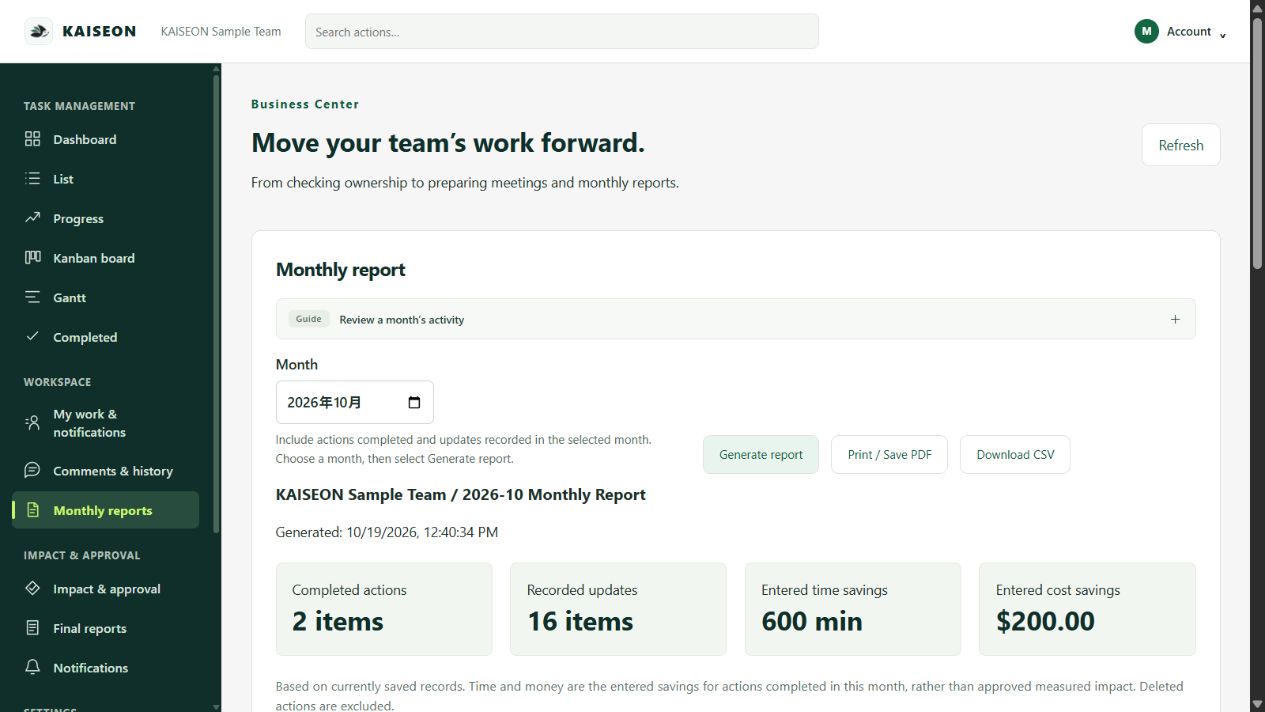
Review improvement submissions and approved impact. Keep a monthly record, export CSV, or print a report to PDF for your team’s review.
ONE COMPANY. SHARED CONTEXT.
Invite members to the same company workspace. Everyone sees the shared tasks; projects, assignee filters and saved views help each person focus.
Projects organize work; they are not private access groups. Administrator, editor and viewer roles control actions. Data is separated between company workspaces.
How team sharing works →Use a starter for process improvement, onboarding or a monthly review.
Choose one lead, then add collaborators who work on the same task.
See open, overdue and unassigned work by project. Reuse task content for the next cycle.
ONE COMPANY. ONE PLAN.
Early Access Plan for businesses. Up to 50 active users are included. The trial signup form defaults to USD; the Japanese page defaults to JPY.
Monthly, per company
Includes up to 50 users
Then $0.20 per additional active user/month.
JPY option: ¥899/month + ¥20 per additional active user.
No card required for the 30-day trial. No automatic charge at expiry. To continue, an administrator subscribes through Stripe; monthly billing starts only after confirmation. No permanent free plan. Paid subscriptions renew monthly until canceled; cancellation takes effect at the billing period end. Fees are not prorated except where required by law. USD sales tax may apply.
Estimate using the published base and additional-user rates.
CHOOSE FOR YOUR WORKFLOW
KAISEON focuses on shared tasks and improvement reporting. Broader integrations, complex automation or enterprise access controls may make another product the better fit.
| Plan | Monthly price | 20 users | Consider it for |
|---|---|---|---|
| KAISEON | $9 / company | $9 | Shared work + measured improvement |
| Asana Starter | $13.49 / user | $269.80 | Cross-team coordination and workflow automation |
| ClickUp Unlimited | $10 / user | $200 | Broad customization and connected work |
| Trello Standard | $6 / user | $120 | Simple visual boards and card workflows |
Checked October 26, 2026 against each provider’s linked pricing page. These are different products and feature sets, not equivalent plans. Annual billing may cost less. Asana, ClickUp and Trello also offer free plans with limits. Taxes, region, minimum seats and guest rules may affect your bill. Recheck the provider before buying.
Read the practical comparison →START SMALL. BUILD A HABIT.
Start with one project and a small set of real actions. You can bring task records in through CSV.
Set the lead, collaborators and deadline. Agree how often you will update progress.
Check what moved forward and which results you measured. Decide whether to expand.
Start with your email. No card required for 30 days. Subscribe only if you choose to continue.
BEFORE YOU START
It is designed for teams that want shared tasks, clear ownership and a record of improvement results. Start with a small pilot. For confidential projects within one company or advanced enterprise integrations, check your requirements carefully.
Yes. A task has one lead and can include collaborators. Company members share visibility, while project and assignee filters keep the view focused.
CSV import and export are available for task records. Review the import template first; attachments, conversations and complex automation from other tools are not a one-click migration.
Yes. The website and application support both languages. Tasks and comments remain in the language you write them in.
No. Progress, recorded savings and approved impact are different. Enter measured results and use the approval workflow when reviewing improvement effects.
Contact contact@kaiseon.net. Email support is available Monday–Friday, 18:00–21:00 Japan time. The service is operated by Shuto Kousaka as a sole proprietor.
LET’S TALK
Tell us how your team works today. We can help you choose a small first project.
contact@kaiseon.netEmail support: Monday–Friday, 18:00–21:00 Japan time (UTC+9).